How to Teach With Video Art Lessons: An Artastic Collective Member Guide
Nov 01, 2026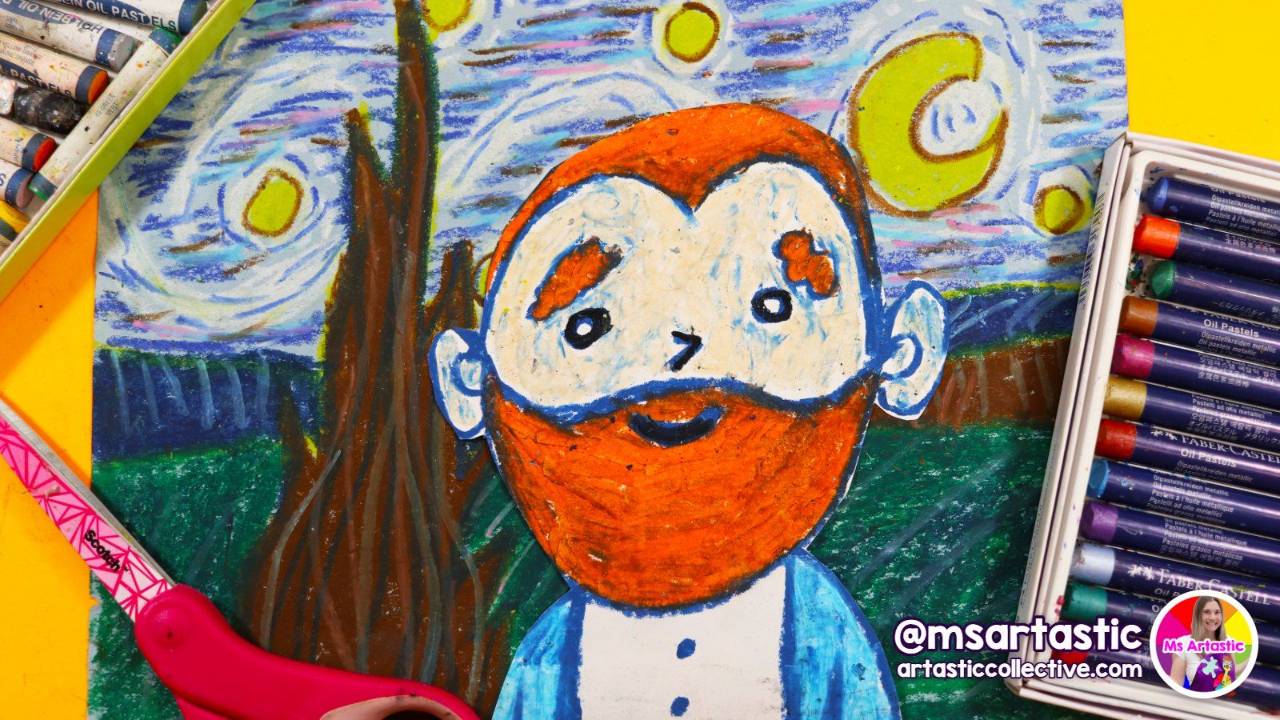
There is a particular kind of quiet that happens in an art room when a video lesson is going well. Pencils are moving, eyes flick up to the screen and back down to the paper, and somebody in the back row whispers "wait, how did she do that eye?" before answering their own question two seconds later. If you have ever pressed play on one of the full-length lessons inside the Artastic Collective and felt that hum settle over your class, you know exactly what I mean.
If you haven't tried it yet, or you tried once and it felt a little bumpy, this guide is for you. The video lessons are one of the most useful parts of the membership, and also one of the most misunderstood. They aren't meant to replace you, and they aren't a movie you put on so you can catch up on marking. They work best as a teaching partner: a clear, close-up demonstration that every student can see at the same time, while you do what only you can do, which is walk the room, encourage, troubleshoot and notice.
Below I'll walk you through where the videos live in the library, what comes with each lesson, how to set up your room, how to pace a lesson with the pause button, how to adapt for different grades, and how to use the shorter Directed Drawings episodes for warm-ups and in-between days. Grab a coffee, and let's get you teaching with them confidently.
Where the Video Lessons Live in the Artastic Collective
Everything starts in your Art Resource Library. At the top you'll see the Find a lesson fast box, which searches all of your programs at once. Type an artist, a holiday, an element of art or a grade, and you'll get lesson cards from every program you have access to. It's the quickest way to find a video lesson when you know what you want to teach this week but not which program it sits in.
The full-length video lessons are spread through the curriculum programs, so you'll find them in more than one place. A few of my favorite places to start:
- Artists & Art History, especially the Artists of Art History ANNUAL Grand Bundle, where each artist lesson has its own step-by-step video: Van Gogh, Matisse, Andy Warhol, Salvador Dali, Jackson Pollock, Emily Carr, Georgia O'Keeffe, Alma Woodsey Thomas, Kandinsky and Ted Harrison.
- Elements & Principles, including the Perfect Principles Annual Grande Bundle, where lessons like the Gustav Klimt Tree of Life (Movement, Grades 2-5) come with a full tutorial video.
- Directed Drawings, the "Draw with Ms Artastic" show: two seasons of shorter drawing episodes made especially for members, ad-free and classroom friendly.
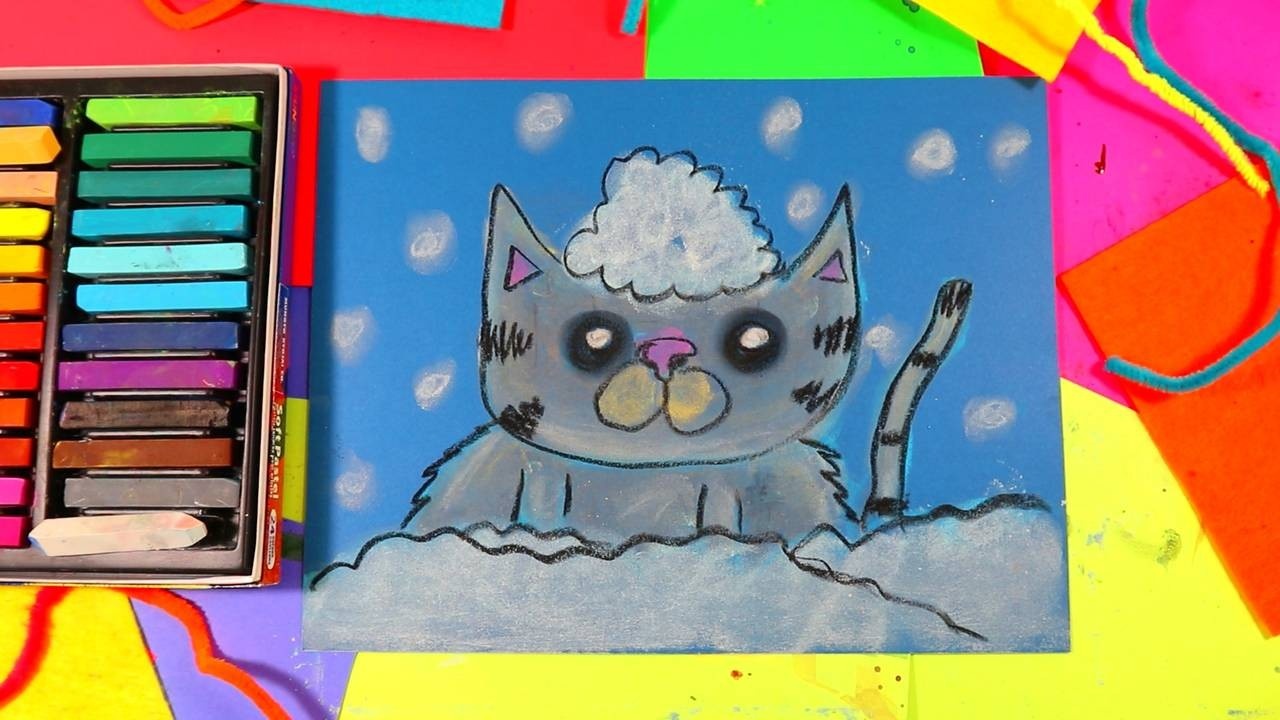
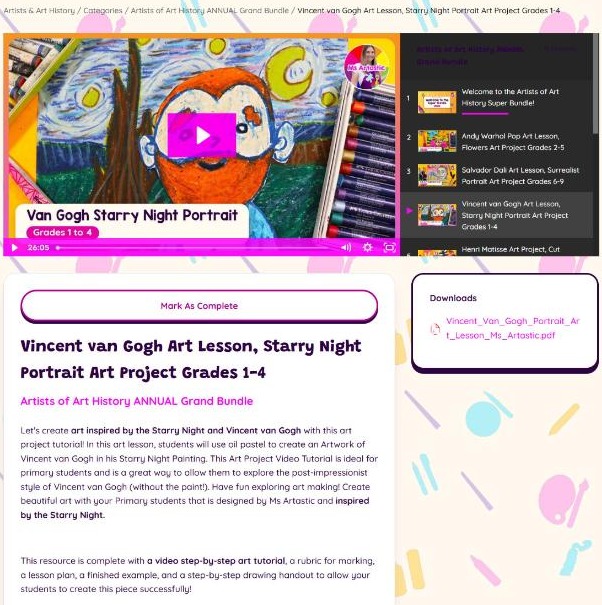
One honest note so nothing surprises you: not every lesson in the library has a video. Many of the seasonal lessons, for example the Winter Cardinal in the Snow for Grades 3-5, are taught with a visual and text step-by-step instead, where every step has its own page and description. Those work beautifully on a projector too. When a lesson does have a video, you'll see the player right at the top of the lesson page, with the running time showing in the corner.
What Comes With Each Video Lesson
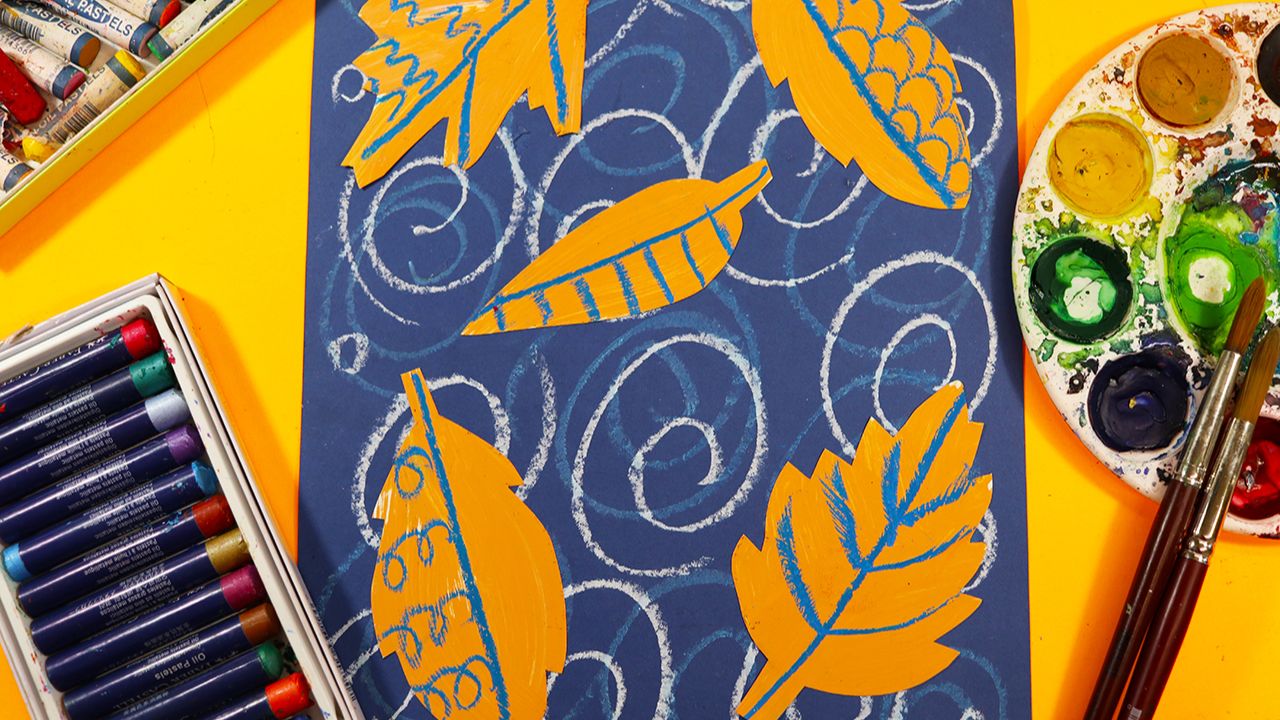
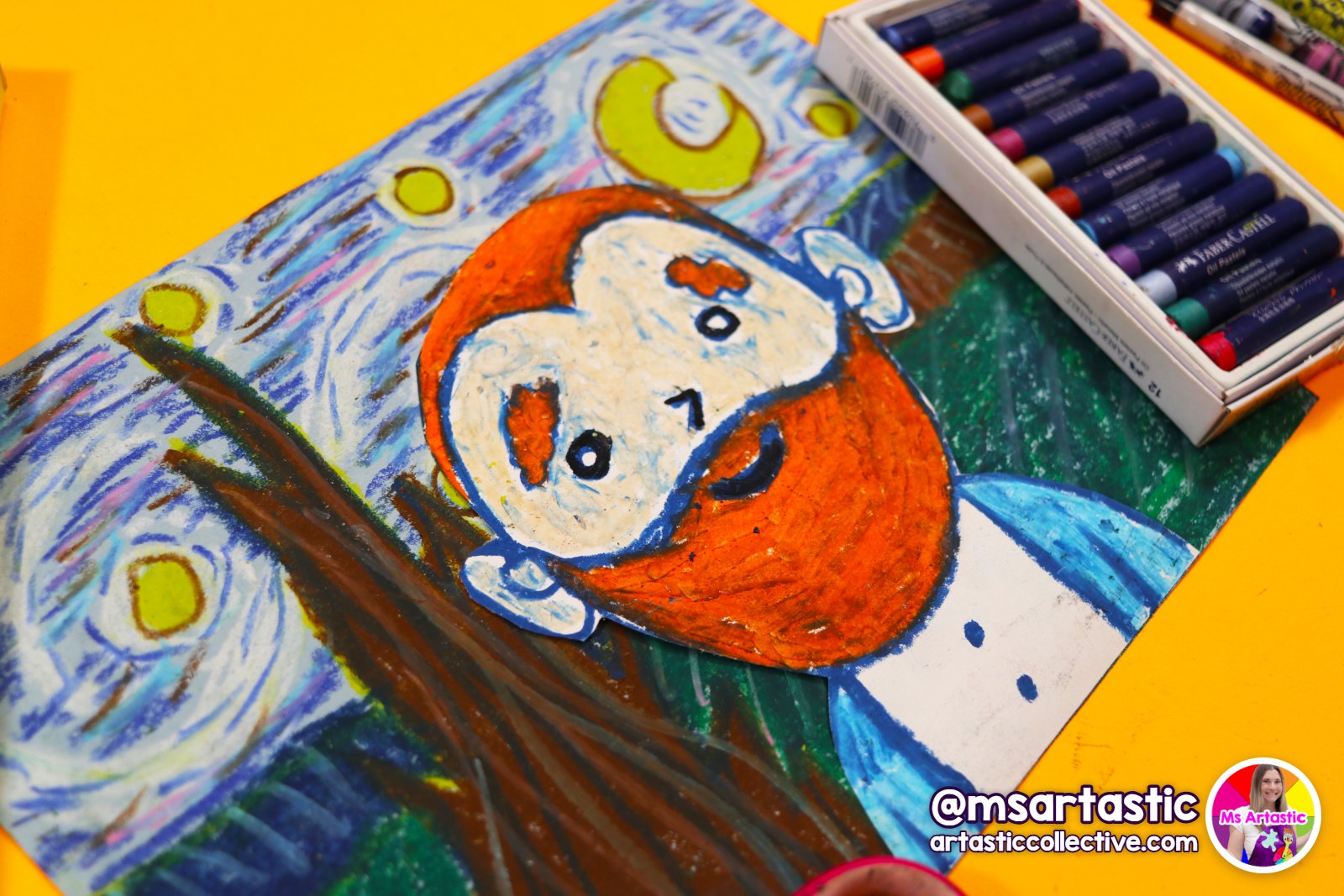
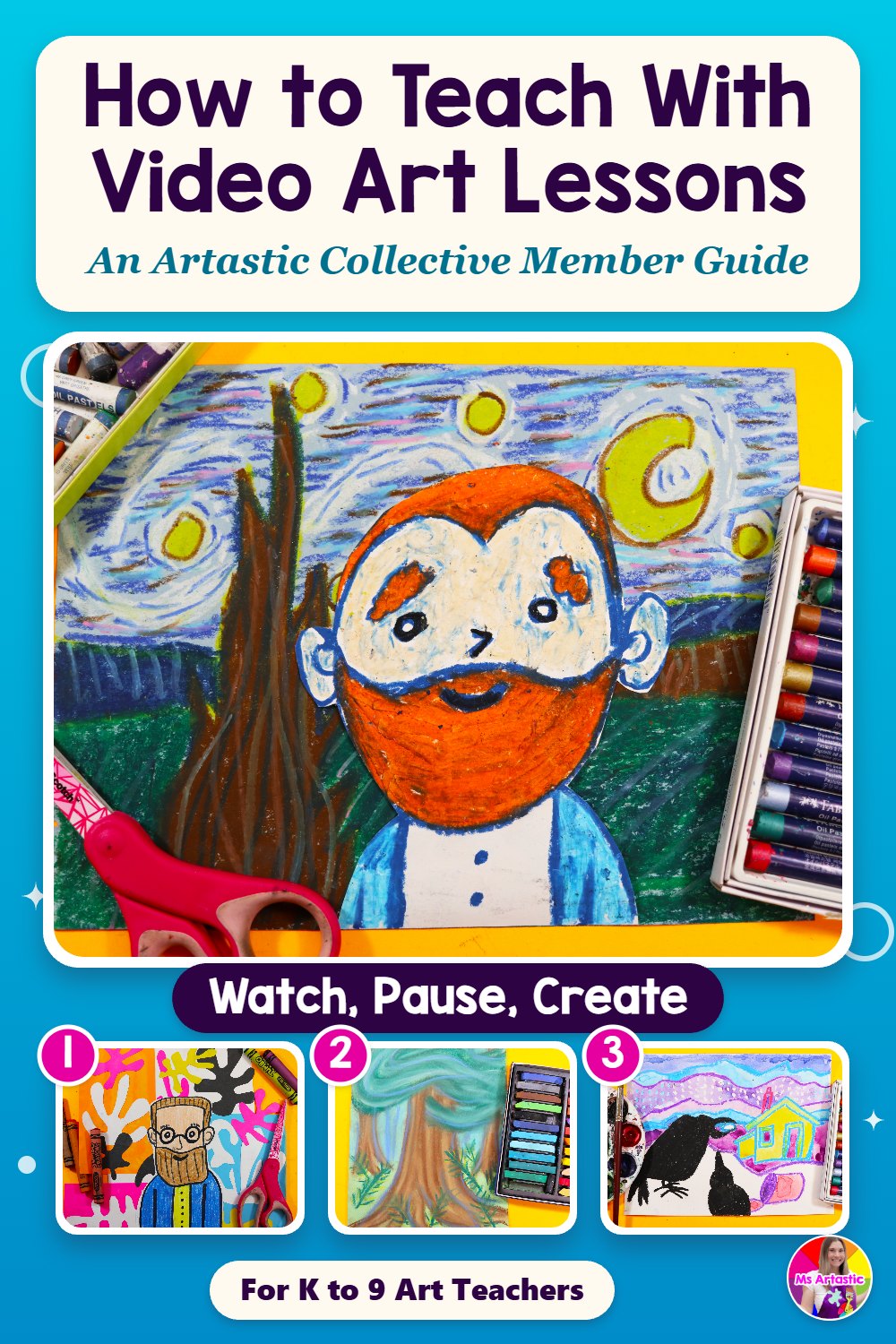
The video is the star, but it's only one piece. Take the Vincent van Gogh Starry Night Portrait lesson for Grades 1-4 as an example. Students create a portrait of Van Gogh inside his swirling Starry Night sky, using oil pastels, a little white paint and blue construction paper for the background. The lesson page gives you:
- a video step-by-step art tutorial (this one runs 26:05),
- a lesson plan,
- a rubric for marking,
- a finished example, and
- a step-by-step drawing handout, all in the PDF in the Downloads box beside the video.
The materials list sits right on the lesson page too, so you can gather supplies without opening anything else. For the Van Gogh portrait that's pencil, eraser, black felt, the step-by-step drawing handouts, oil pastels, white paint, blue construction paper, scissors and glue.
I always suggest downloading the PDF before you watch the video yourself. Read the lesson plan, print your handouts, and look at the finished example so you know where the lesson is heading. Then watch the video once on your own, ideally with a pencil in hand. You don't need to make the whole project, but drawing along for the first few steps tells you a lot about where your students will need extra time.
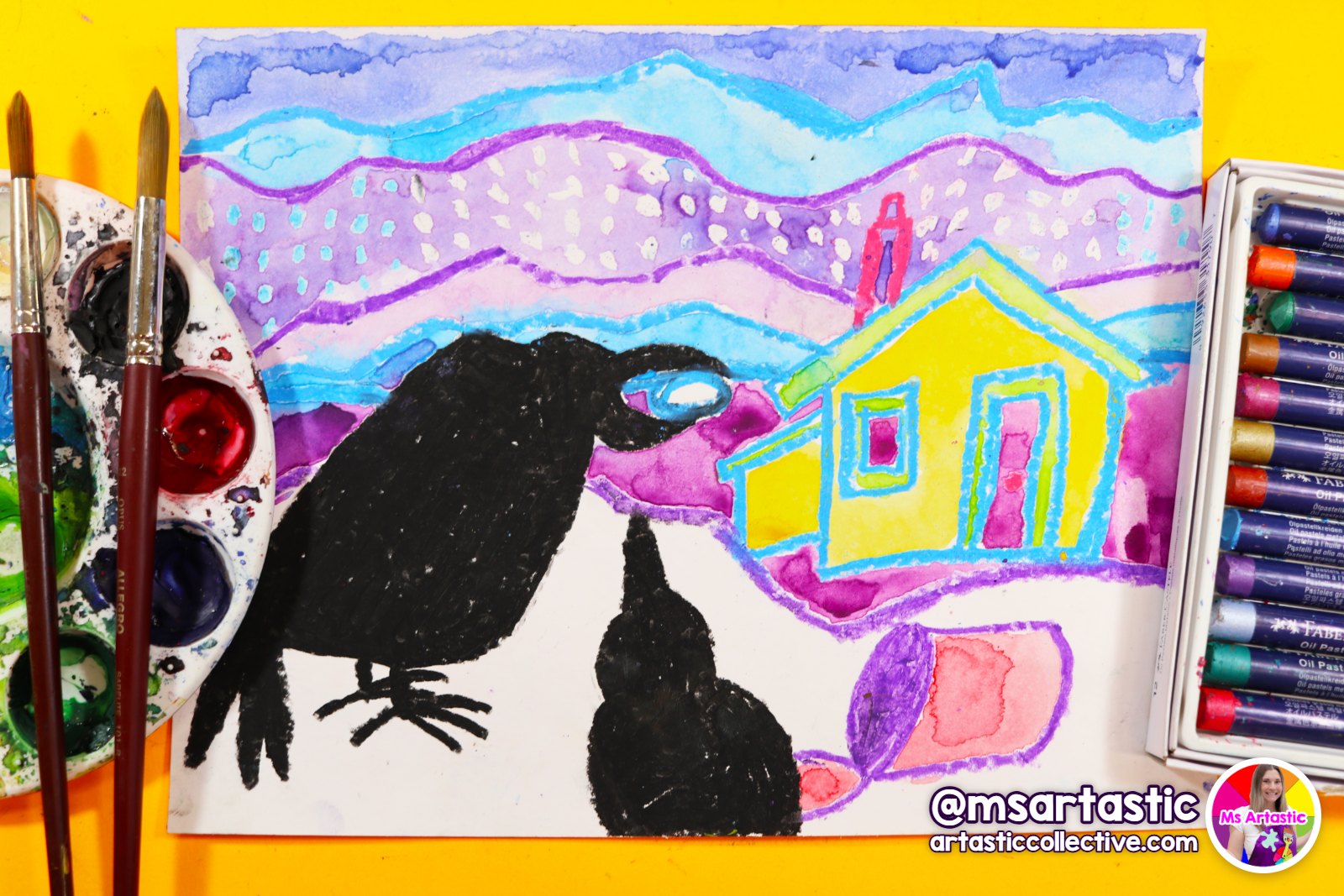
Lengths vary from lesson to lesson, so check the time before you plan your class. In the Grand Bundle alone, the Emily Carr Red Cedar lesson is 10:50, the Ted Harrison Raven lesson is 16:39, the Henri Matisse Cut Paper Collage Portrait is 19:09 and the Van Gogh portrait is 26:05. Over in Elements & Principles, the Klimt Tree of Life tutorial runs 30:15. That running time is watching time, not working time. With pauses for students to draw, color and glue, a 20-minute video easily becomes two or three art classes, and that's exactly how it should be.
Setting Up Your Room for a Video Lesson
A little setup makes a big difference. The goal is simple: every student can see the screen clearly, and every student has what they need within reach before you press play. Here's what I'd check.
Make the screen easy to see
Project the video as large as you can and use full screen mode so the drawing fills the wall. Do a quick test from the back corner of the room before students arrive. Can you see pencil lines, not just bold marker? If not, close the blinds or dim the lights near the screen. Close-up demonstrations are only useful if the details are visible, and kids will quietly give up if they're squinting.
Have materials out before you start
Nothing breaks the flow of a video lesson faster than twenty students getting up for oil pastels in the middle of step four. Set out paper, pencils, erasers and the drawing handout on each table first. If the lesson has a later stage with paint or glue, keep those supplies ready on a tray or a side table so you can hand them out at the right pause.
Print the step-by-step drawing handout
The handout is your safety net. Students who miss a step, arrive late, or simply work at a different speed can look down at the handout instead of waiting for you to rewind. It's especially helpful for students who find it hard to switch their eyes between a far-away screen and the paper in front of them.
Decide where you'll stand
This is the part teachers sometimes skip. If you're standing at the computer the whole time, you're missing the best thing about a video lesson, which is that it frees you to move. Use a wireless mouse or clicker if you have one, or ask a dependable student to be your pause helper for the day. Then circulate. You'll catch the student pressing so hard their eraser is making holes, the one who drew the face too small, and the one who's ready to be challenged.
The Pause Button Is Your Best Friend
If I could give you one tip for teaching with video lessons, it would be this: pause often, and pause on purpose. The videos are paced as demonstrations. Your students need time after each step to try it themselves, and that time will look different in every class.
Here's a rhythm that works well for most grades:
- Watch the step together. Ask students to put their pencils down for the first watch of a tricky step, so their eyes are on the demonstration and not on their own paper.
- Pause and draw. Give students time to try it. Walk the room, look for common mistakes, and give a little encouragement to anyone who looks stuck.
- Check in before moving on. A quick "thumbs up when you're ready" tells you whether to move on or give another minute. If most of the room needs the step again, rewind a few seconds and replay it.
Use the pauses to teach, too. When the video shows a technique, such as blending oil pastels or layering colors in a swirly Van Gogh sky, pause and add a sentence of your own: why the artist painted that way, what the line is doing, or what students are noticing. That's where the art history and vocabulary really sink in. A pause is also the perfect moment to point out that every student's version will look a little different, and that's a good thing.
For younger students, plan shorter stretches between pauses. Kindergarten and first graders do best with very small steps and lots of movement in between. Older students can often watch two or three steps at a time and then catch up, especially once they've done a few video lessons and know the routine.
Splitting a Video Lesson Across Several Classes
Most of the full-length lessons are designed to be taught over more than one art class, and the natural break points are usually easy to spot: when the drawing is finished, when it's time to outline, when color starts, and when it's time to cut and glue.
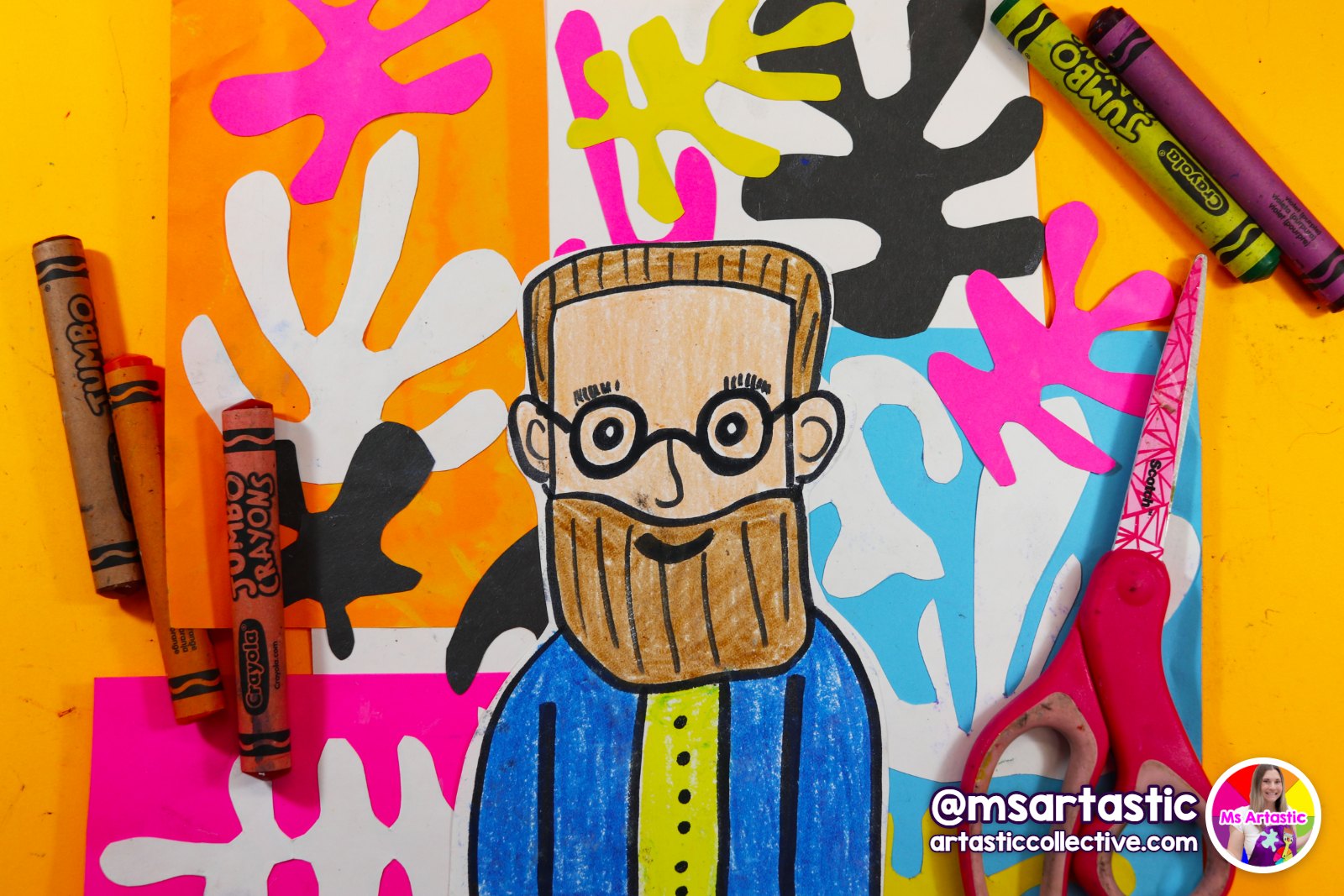
Before each class, jot down the time in the video where you'll start and where you'll stop. For a lesson like the Matisse collage portrait, you might draw and outline in the first class, add color in the second, and cut and assemble in the third. Writing the timestamps on a sticky note on your computer saves a lot of scrubbing back and forth when class starts.
When you come back to a lesson, start with a quick recap. Play the last minute of the previous session, or simply hold up a student's work and ask the class what they did last time. Then press play from your saved spot. Students settle back into the project much faster when they can see where they left off.
Adapting One Video Lesson for Different Grades
Every lesson in the Collective lists a grade range, and that's the best place to start. Still, many of us teach several grades in one day, or a mixed-age homeschool group around the kitchen table, so it helps to know how to stretch a video lesson up or down.
For younger students
Pause more often and simplify the drawing where you need to. If a step has a lot of detail, you can demonstrate a simpler version on the board while the video is paused, or let students trace guide shapes from the handout. Choose materials that are forgiving, and celebrate effort over accuracy. The goal for young artists is confidence, careful looking and a joyful experience with the materials.
For older students
Let them watch a whole section first, then work independently with the handout while you circulate. Encourage them to change the composition, try a different color scheme, or add their own background. With older students the video becomes a reference rather than a script, which is exactly where you want them to end up. You can also ask them to write a short reflection or artist statement when the project is finished, using the rubric so they know what you'll be looking for.
For mixed-age groups
Pick a lesson in the middle of the grade range and run it as one shared demonstration. Younger students follow along step by step, older students add extra detail or extend the background during the pauses. Everyone watches the same video, but no one is bored and no one is lost.
Using Directed Drawings for Warm-Ups and In-Between Days
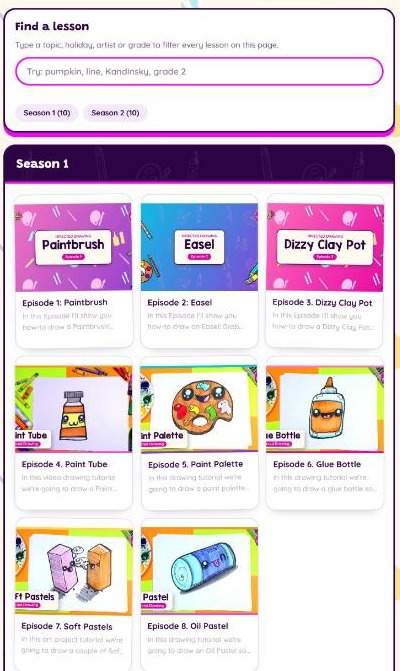
The full-length lessons are wonderful for bigger projects, but sometimes you need something shorter. That's what the Directed Drawings program is for. It's set up like a little show, "Draw with Ms Artastic," with two seasons of 10 episodes each. Season 1 is all about art supplies, from Episode 1: Paintbrush, Easel and a Dizzy Clay Pot to a Paint Tube, Paint Palette, Glue Bottle, Soft Pastels, an Oil Pastel, a Light Prism and a BIG Paint Brush. Season 2 includes a Wax Crayon, a Mouse Holding a Paintbrush, artist portraits of Frida Kahlo, Andy Warhol and Emily Carr, and some very Angry Paint Tubes.
These episodes are made to be played straight in your classroom. They have no ads, they're classroom friendly, and students can use their choice of medium, whether that's markers, crayons, colored pencils or whatever you have on hand. The Frida Kahlo episode, for example, runs 9:15.
Here are a few ways teachers can use them:
- As a warm-up at the start of a new unit, to get pencils moving and build drawing confidence before a bigger project.
- As an artist introduction. Draw Frida Kahlo, Andy Warhol or Emily Carr together, then open the matching artist lessons in Artists & Art History for the main project.
- As a short lesson on a day when you have less time than usual, like an assembly day or a shortened schedule.
- For early finishers, set up on a computer or tablet at a quiet station with headphones.
- As a sub-friendly activity, since the episodes are easy to press play on and follow along with.
The art-supply episodes in Season 1 are especially lovely in the first weeks of school, when you're introducing materials anyway. Draw the paint palette, then talk about how you'll care for real palettes in your room. It's a gentle way to teach routines through drawing.
Building a Video Lesson Into Your Year
The easiest way to use video lessons regularly is to plan them in, rather than reaching for them in a pinch. If you use the Year Planner: 36-Week Art Scope & Sequence (K-9), pick your grade, download your plan, and click into the lessons for each week. When a lesson has a video, mark it in your planner so you remember to set up the projector and gather supplies ahead of time.
A balance I like is mixing video-led projects with lessons you demonstrate live and lessons students explore more independently. Video lessons are fantastic for skills that benefit from a close-up view, such as drawing a face, blending oil pastels or building a collage step by step. Live demonstrations are great when you want to respond to the room in the moment. Student-led exploration, like sketchbook time, gives them space to try ideas on their own. Together, they make a year that feels varied for students and manageable for you.
Video lessons also pair naturally with art history. Before a Van Gogh, Emily Carr or Ted Harrison project, spend five minutes with the free Art History Timeline on my website, so students can see where the artist fits and what was happening in art at the time. Then press play on the lesson. Students bring so much more to their artwork when they know a little about the artist first.
Wrapping Up a Video Lesson: Reflection and Assessment
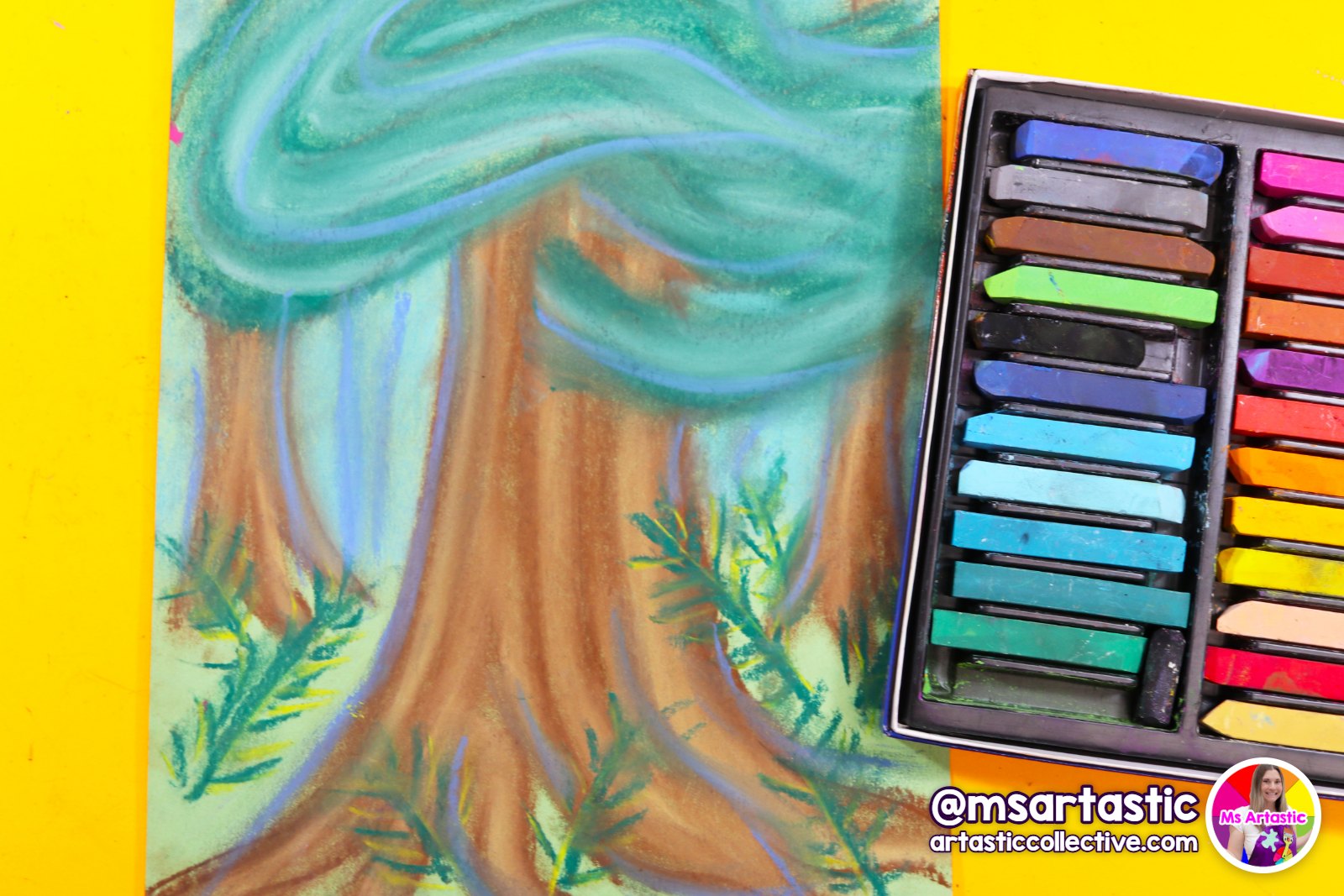
When the last step is finished, don't skip the ending. A few minutes of reflection turns a project into real learning. Lessons like the Van Gogh portrait and the Emily Carr red cedar come with a rubric, so pull it out and share it with your students before they finish, not after. When they know what you're looking for, they'll go back and add the details that make a difference.
A simple gallery walk works wonderfully after a video lesson. Lay the artwork out on the tables and invite students to walk around and notice. Because everyone followed the same demonstration, it's easy to talk about choices: how one student made the sky swirl in a different direction, or how another chose warm colors for their cedar tree. That's the moment students realize that following a lesson doesn't mean everyone's art looks the same.
If you like to track what you've taught, use the Mark As Complete button under the video on each lesson page. It's an easy way to keep your place in a bundle, especially if you're teaching the same program to several classes.
A Few Quick Troubleshooting Tips
Even with good planning, video days can hit a bump or two. Here's how I'd handle the most common ones.
Students fall behind. Point them to the step-by-step drawing handout, and let them catch up during the next pause. If a whole table is behind, rewind a few seconds and replay the step for everyone.
Students race ahead. Give them a job during the pauses, like adding pattern to the background or practicing the next step in a sketchbook. Fast finishers can also pick a Directed Drawings episode for when their project is done.
The internet is slow on lesson day. Open the lesson and start the video a few minutes before class so it has time to load, and keep the printed handout and lesson plan nearby. With the handout and the finished example, you can always demonstrate the steps live on the board if you need to.
Students say "mine doesn't look like hers." This is the perfect teachable moment. Remind them that the video is a guide, not a photocopier. Artists have always learned by watching other artists and then making it their own. Their version is supposed to look like them.
Free Sketchbook Prompts to Pair With Your Video Lessons
Sketchbooks are the perfect partner for video lessons. Students can practice a tricky step before trying it on their good paper, and early finishers always have something meaningful to do. If you'd like a ready-made set, my 120 Sketchbook Prompt Task Cards are free. You'll also get my newsletter, with art lesson ideas and teaching tips in your inbox.
Get the Free Sketchbook Task Cards
For more daily drawing ideas, the free Drawing Prompt of the Day on msartastic.com gives you a new prompt every day, and my Drawing Lessons for Kids page collects step-by-step drawing ideas in one place.
Not a Member Yet? Here's How the Video Lessons Fit In
If you're reading this and thinking about joining, I hope it gives you a clear picture of what teaching with the Artastic Collective looks like day to day. The video lessons sit inside a whole K-9 art curriculum, alongside the Year Planner, Elements & Principles, Artists & Art History, Holidays & Seasonal, Sketchbooks, Ceramics & Sculpture, Themes and the Directed Drawings show, along with lesson plans, rubrics and handouts for each lesson.
Learn more about the Artastic Collective
Prefer to start with one project? A few of the lessons in this post are also available on their own in my shop: the Van Gogh Starry Night Portrait art lesson, the Henri Matisse Cut Paper Collage Portrait art lesson and the Emily Carr Red Cedar chalk pastel art lesson.
Come Share How It Went
Teaching with video is a skill like any other, and it gets easier every time. The first lesson might feel a bit clunky as you figure out your pause rhythm and where to stand. By the third or fourth, your students will know the routine, and you'll find yourself with more time to do the part of teaching you love most: talking with kids about their art.
If you'd like to swap ideas with other teachers and homeschoolers, come join the free Teaching Art Mastermind community. Tell us which video lesson you tried, share how you paced it, and post your students' work (no faces or names, please). And if you want a deeper look at planning, my guide on how to teach the principles of design to kids pairs nicely with the Elements & Principles video lessons.
Happy teaching, and happy art making!
Kathleen
Ms Artastic
Discover FREE Art Lessons & Resources
Let's Make Some Art! I will create the Art Lessons & Resources, you inspire the kids!
Stay connected with news and updates!
Join our mailing list to receive the latest news and updates from our team.
Don't worry, your information will not be shared.
We hate SPAM. We will never sell your information, for any reason.
Ms Artastic